> For the complete documentation index, see [llms.txt](https://docs.amondo.com/llms.txt). Markdown versions of documentation pages are available by appending `.md` to page URLs; this page is available as [Markdown](https://docs.amondo.com/trust-and-compliance/usage-rights/permissions-and-rights.md).
# Permissions & Rights
Understand the permissions required to embed and display public social content, and how Amondo ensures compliance with platform terms and developer policies.
{% hint style="info" %}
You generally **do not need permission** to embed and display **public** user-generated content (UGC) from Instagram or other social platforms on websites, mobile apps or digital screens, provided you use the platform's official embed or API and respect the creator's privacy settings.
{% endhint %}
> **Not legal advice.** Platform terms can change and specific use cases may require additional rights (e.g., music, logos, people's likeness). Consult your legal counsel for edge cases.
## Why embedding public posts is permitted
When someone creates an Instagram account, they agree to Instagram's Terms, which grant Instagram broad rights to **host, use, distribute and publicly perform or display** users' content (subject to privacy/settings). Embeds are one way Instagram (and third-party tools using Instagram's APIs) enable that "publicly perform or display" right on external sites and screens.
Instagram Terms (Section 4.3): Excerpt
> **Permissions you give to us.** As part of our agreement, you also give us permissions that we need to provide the Service.\
> We do not claim ownership of your content, but you grant us a licence to use it. …When you share, post or upload content that is covered by intellectual property rights (such as photos or videos) on or in connection with our Service, you hereby grant to us a non-exclusive, royalty-free, transferable, sublicensable, worldwide licence to host, use, distribute, modify, run, copy, **publicly perform or display**, translate and create derivative works of your content (consistent with your privacy and application settings). This licence will end when your content is deleted from our systems…
>
> *Source:* [Instagram Help Center: "Permissions you give to us" (Section 4.3)](https://help.instagram.com/581066165581870/?locale=en_GB)
## What “embedding” means in practice
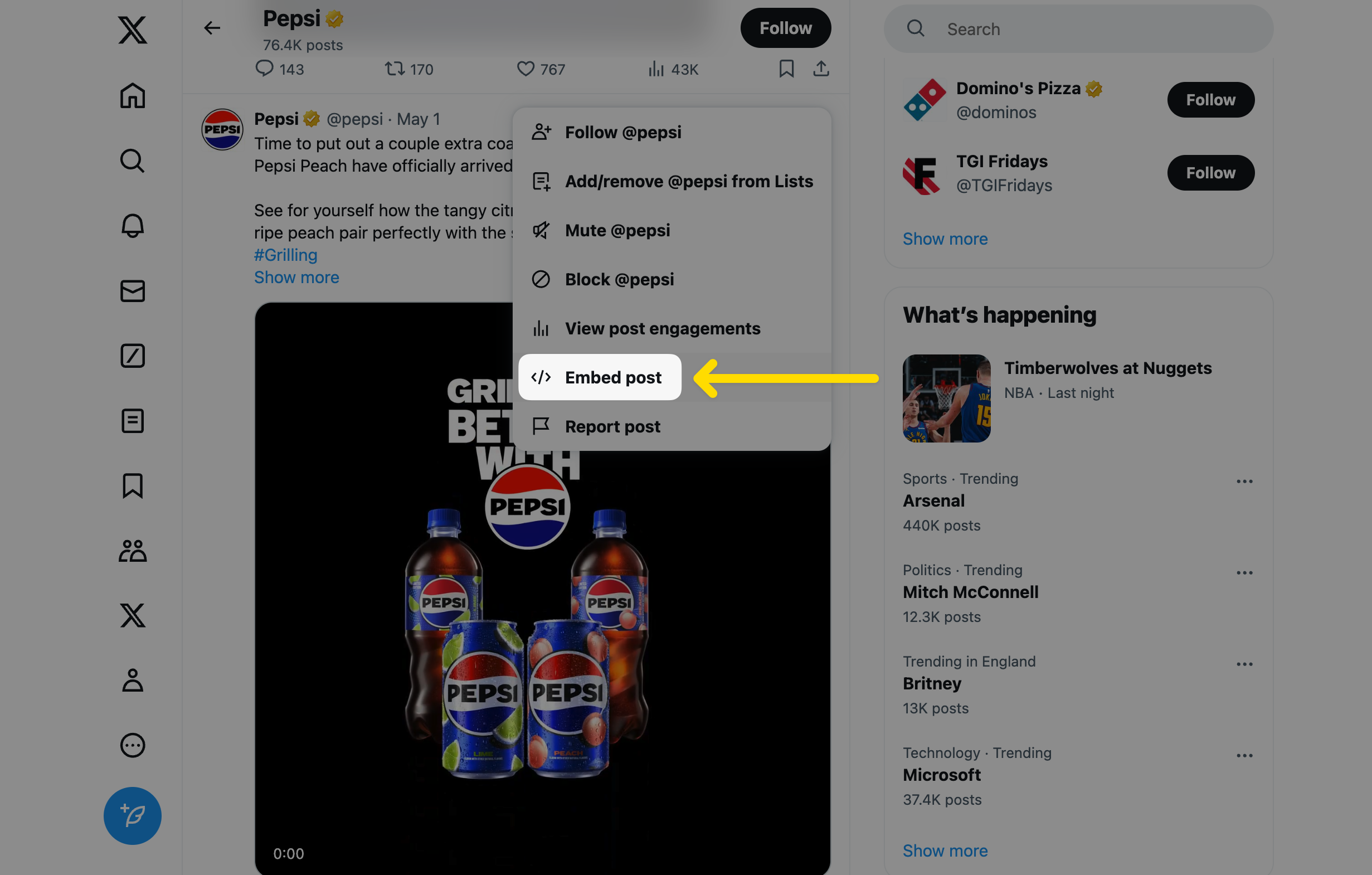
Embedding Instagram posts is a distribution method that lets anyone add Instagram images/videos to their site or digital product using the official embed:
1. Open a **public** Instagram post on desktop.
2. Click the **three dots** menu.
3. Choose **Embed** to get the code snippet.
4. Paste the snippet into your website, app or CMS.
This same concept applies to other platforms (e.g., **X (Twitter)**), which provide official embeds for public posts.
## How Amondo complies
Amondo automates the collection and display of public UGC **at scale** using official platform APIs and partner programs.
* **Meta (Instagram & Facebook) compliance**
* Amondo adheres to Meta’s Platform Terms and the Developer/Partner Agreement.
* During partner onboarding, the use case is described in detail to Meta.
* Meta’s developer team can access and **monitor** usage for compliance.
* **Other platforms**
* Similar principles apply: we use **official APIs/embeds**, respect privacy settings and follow each platform's developer policies.
{% hint style="success" %}
**Bottom line:** Amondo only surfaces **public** content and uses official integration paths that platforms explicitly allow.
{% endhint %}
## When you **do** need permission
Without obtaining permission from the rights holder(s), you **cannot**:
* **Display private content.** Private or restricted posts are not accessible via Amondo.
* **Modify media** (e.g. edit/crop in ways that create derivatives outside what the platform/embedding allows).
* **Print** images or videos (e.g. a coffee-table book or physical merchandise).
* **Copy and republish** UGC to your own social profiles or re-upload it elsewhere (including **digital out-of-home**) outside of the platform’s official embed or permitted API usage.
{% hint style="danger" %}
Even with public posts, additional permissions may be required if the content includes **third-party rights** (music, trademarks, recognisable people/likeness, event footage with separate restrictions, etc.).
{% endhint %}
## Quick checklist
* Is the post **public**? → If **yes**, embedding via the platform’s official tools is generally permitted.
* Are you using the **official embed/API** (not downloading and re-uploading)? → If **yes**, you’re aligned with platform distribution rights.
* Do you plan to **alter**, **print** or **republish** the media outside the embed? → If **yes**, get explicit permission (and consider additional rights like music/likeness).
* Are you compliant with the platform’s **Developer/Platform Policies**? → If **yes**, proceed; if not sure, review the relevant policy pages.
## Getting explicit consent
For more detailed guidance on how to request and record creator approval, see [Getting Explicit Consent to Use Content](/trust-and-compliance/usage-rights/permissions-and-rights/getting-explicit-consent-to-use-content.md).